WysiMd.Blazor — an open source Markdown editor for Blazor
WysiMd.Blazor is a WYSIWYG Markdown editor for Blazor. You type formatted text, and what comes out is clean Markdown — not HTML, and not Markdown-shaped HTML. It is written in C#, published on NuGet under the MIT licence, and maintained by us. It is also not a side experiment: it is the editor behind every rich-text field in the admin dashboard of every website we build, and the text you are reading now went through it.
The source is at github.com/UserIsAmitHasan/WysiMd.Blazor and the package at nuget.org/packages/WysiMd.Blazor. Both are free to use, fork and ship, commercially included.
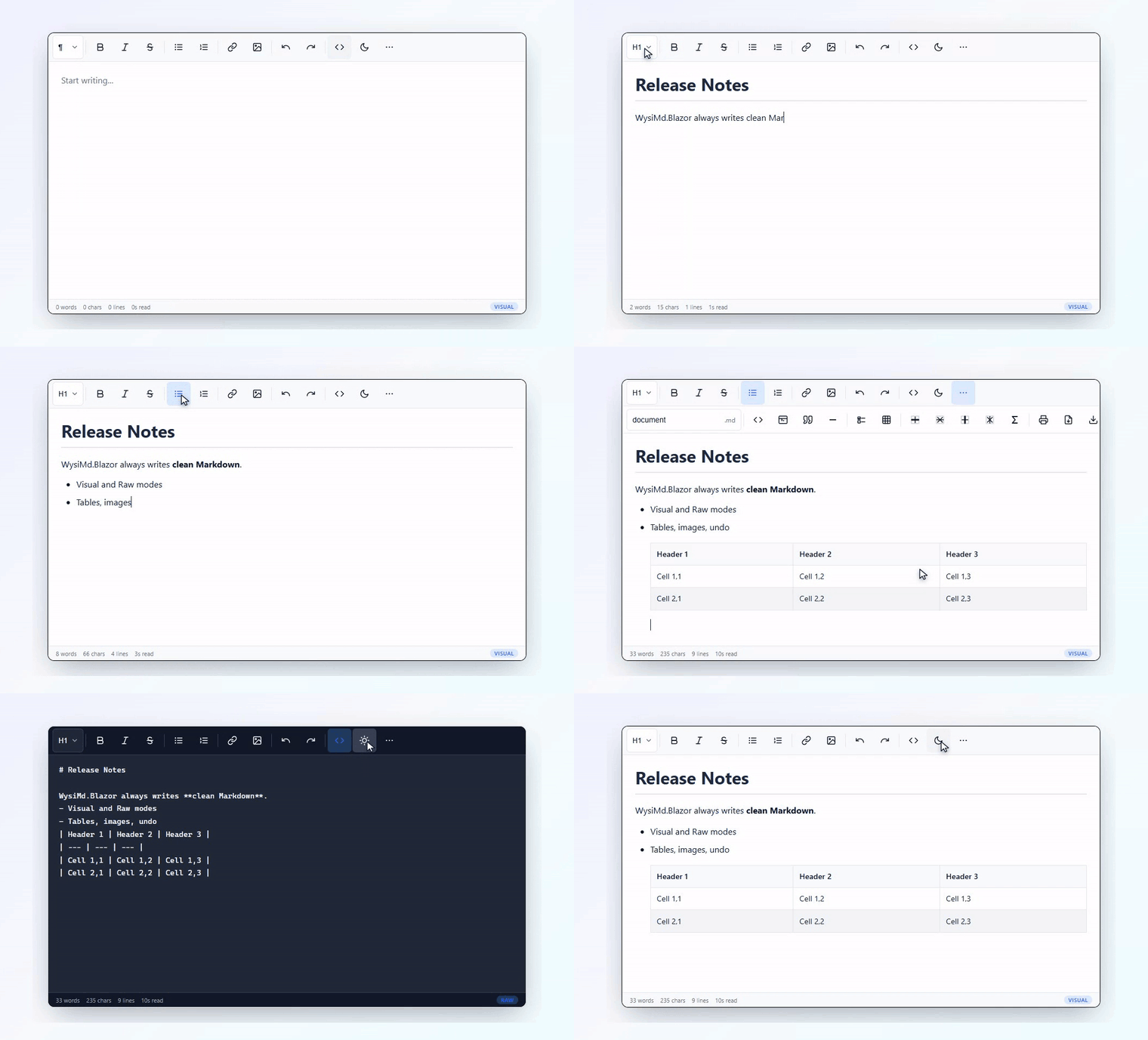
What it does
The name is the design goal: what you see is Markdown. A visual editing surface with a toolbar, and a Markdown document underneath it that stays readable when you switch to raw mode mid-sentence.
- Visual and raw modes, switched instantly, with the caret preserved.
- Over twenty toolbar actions with keyboard shortcuts, and a toolbar you can configure per instance.
- GitHub Flavoured Markdown tables, edited as tables — insert and delete rows and columns rather than counting pipe characters.
- Undo and redo over a debounced history.
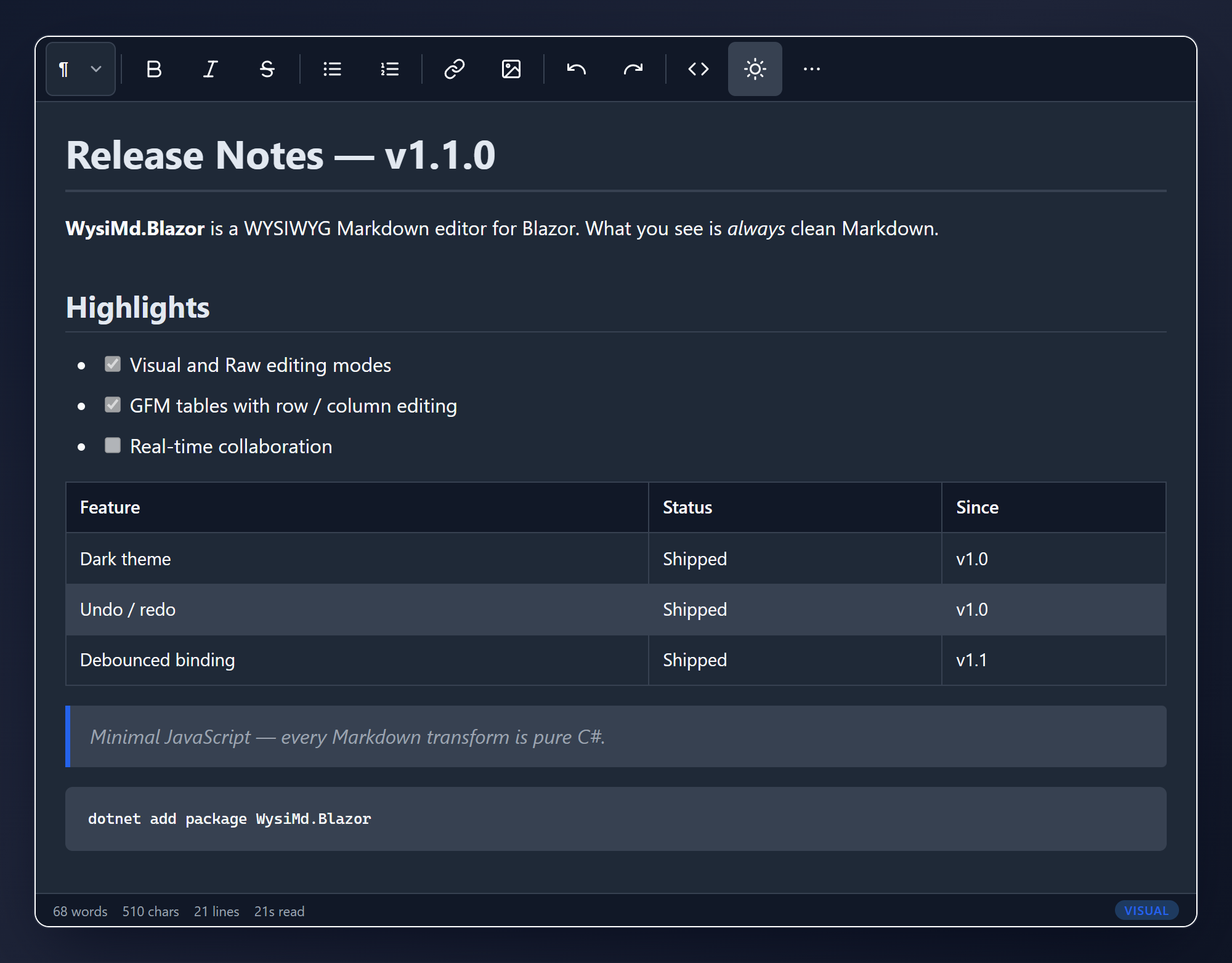
- Dark and light theming through CSS custom properties, so it inherits your application's palette instead of fighting it.
- A status bar with word, character and line counts and a reading-time estimate.
- Read-only mode that still exports.
- Mobile first, with 48×48 pixel touch targets — the WCAG 2.5.5 minimum, which most desktop-designed editors miss on a phone.
- Minimal JavaScript. The Markdown logic is C#.
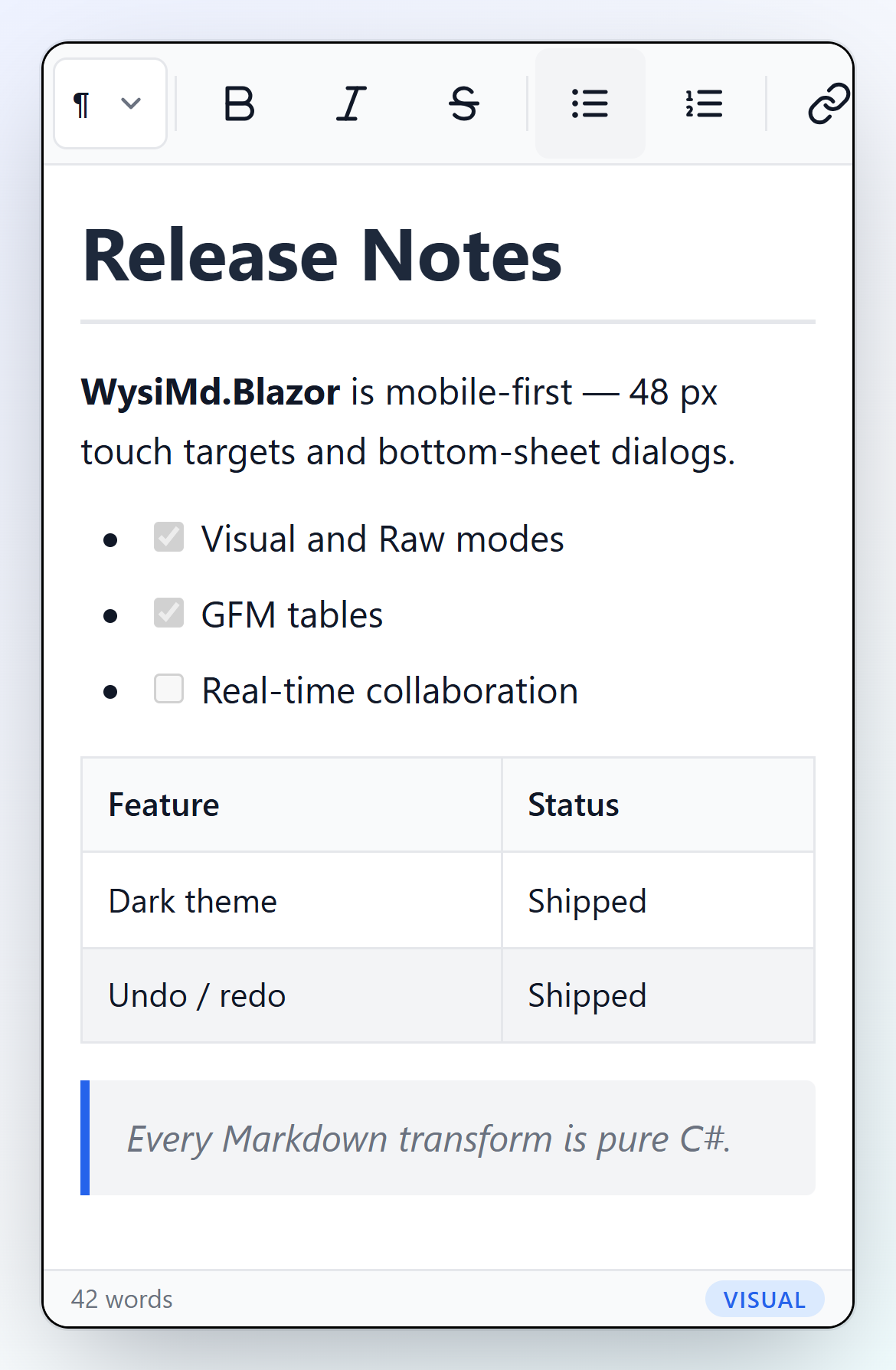
The claim in the name is the one worth checking, so here it is twice — the same document, visual mode and raw mode, one toolbar button apart.
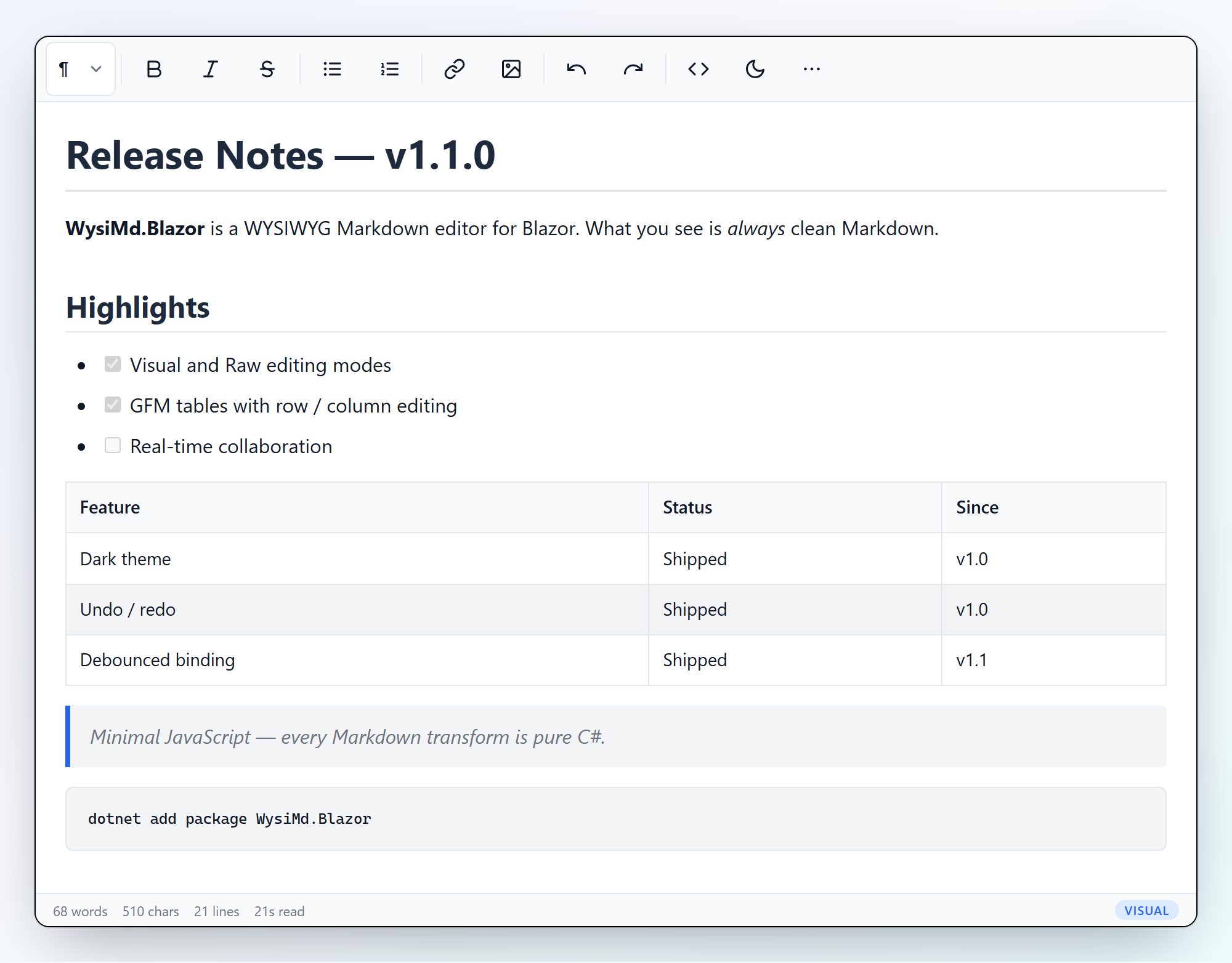
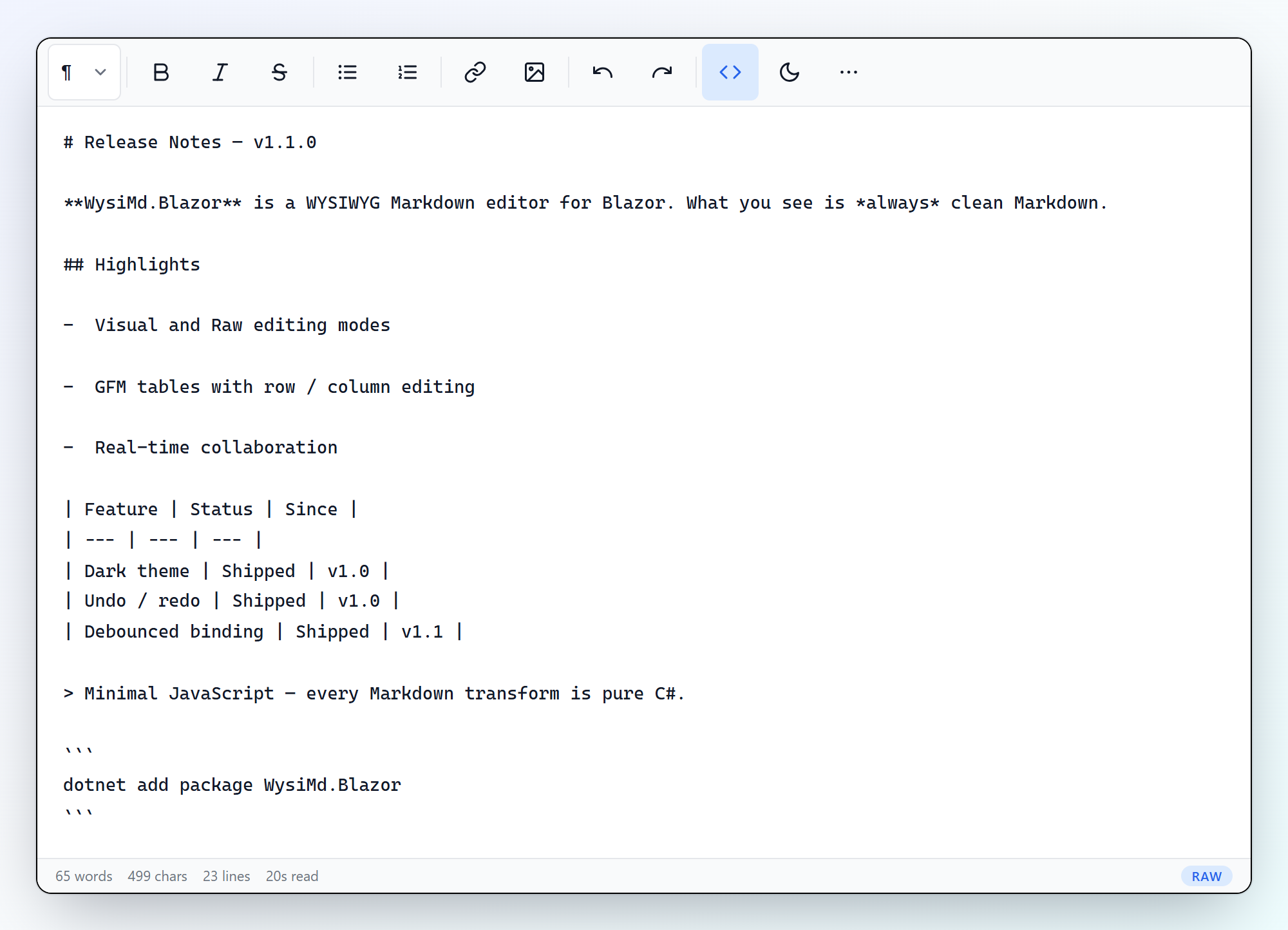
Both themes ship, and the phone layout is not an afterthought: the toolbar scrolls horizontally and every target is 48×48 pixels, which is the WCAG 2.5.5 minimum most desktop-designed editors miss.
Why we wrote one instead of wrapping a JavaScript editor
Rich text in a Blazor application usually means wrapping an existing JavaScript editor — Quill, TinyMCE, CKEditor. They are good editors, and they hand you HTML.
HTML is an awkward thing to own. It is hard to diff, so a content change in version control is unreadable. It carries whatever markup the editor felt like emitting, including the styling decisions of whoever last pasted from Word. And it only really renders in a browser. Markdown is text: it lives in a git repository, it diffs one line at a time, a person can read it, and it converts to whatever the destination needs.
The second reason mattered more, and only becomes visible once you have more than one author. Because the Markdown logic is C# inside a Razor class library, the same conversion code runs in the browser under WebAssembly and in a headless console process. On this site, a page edited by hand in the admin dashboard and a page written by us as a Markdown file in a git repository are converted by the same MarkdownService, at the same version. They cannot render differently, because there is no second implementation to drift. Two Markdown pipelines that agree today are two Markdown pipelines that disagree after the next upgrade.
Where it runs
Nine live websites run on our platform, and each one has an admin dashboard whose rich-text fields — blog post bodies, the About page, service and product descriptions, staff profiles, job notices — are all this component. Client staff use it without knowing what Markdown is, which is the actual test: the format only earns its place if the person typing never has to think about it.
Our own content takes the other path. Every post on this site is a Markdown file in the repository, reviewed like code and converted at publish time by a small console tool that references the same package. Same engine, same version, same output.
Things worth knowing before you adopt it
Stated plainly, including the parts that constrain you:
- .NET 10, Blazor Server and WebAssembly. It is a Razor class library, so it ships its own CSS and JavaScript as static web assets.
- Markdig does the Markdown-to-HTML conversion, with GitHub Flavoured Markdown enabled. If you are already using Markdig, the output will look familiar.
- Images are embedded as base64 data URLs, up to 5 MB, which makes a document self-contained and portable. If you are storing the result in a database, extract them on save. A multi-megabyte data URL sitting in a text column gets loaded into memory on every render of that row — we learned that on our own platform, and the server now rewrites each embedded image to a file URL when a post is saved. The editor deliberately does not make that decision for you, because a self-contained document is the right answer in plenty of other cases.
- It is young. First published in May 2026, with releases since. It does what the list above says and no more; if you need collaborative editing or a plugin architecture, this is not that component.
Installing it
dotnet add package WysiMd.Blazor
Register the services in Program.cs:
builder.Services.AddWysiMdBlazor();
Add the stylesheet and script, then use it:
<MarkdownEditor @bind-Value="content" />
The README covers the parameters, the options object and the event callbacks.
Why an open source project is on a company website
Two honest reasons.
The first is that it is the clearest evidence of how we build that we can give anyone. Every software company says its code is well made. This is a piece of ours that you can read, run, criticise and fork without asking us for anything, and it is a piece that real client sites depend on daily rather than a demonstration written to be looked at.
The second is that it makes our clients safer. Software we deliver depends on this component, and a dependency you can read and fork is a smaller risk than one you cannot. If we stopped answering the phone tomorrow, the editor inside your admin dashboard would still be maintainable by any competent .NET developer. We think that is how a supplier should be judged, and we would rather be judged that way than argue about it later — the same reason your data lives in standard SQL Server and exports to Excel.
Next
Use it, or take it apart: the repository is open to issues and pull requests, and the package installs in one line.
If you are here because you are weighing up who should build your software rather than because you write Blazor, the more useful pages are what we do and how to reach us — or email autorior@outlook.com and describe the problem. We will tell you honestly whether it is one worth building software for.